

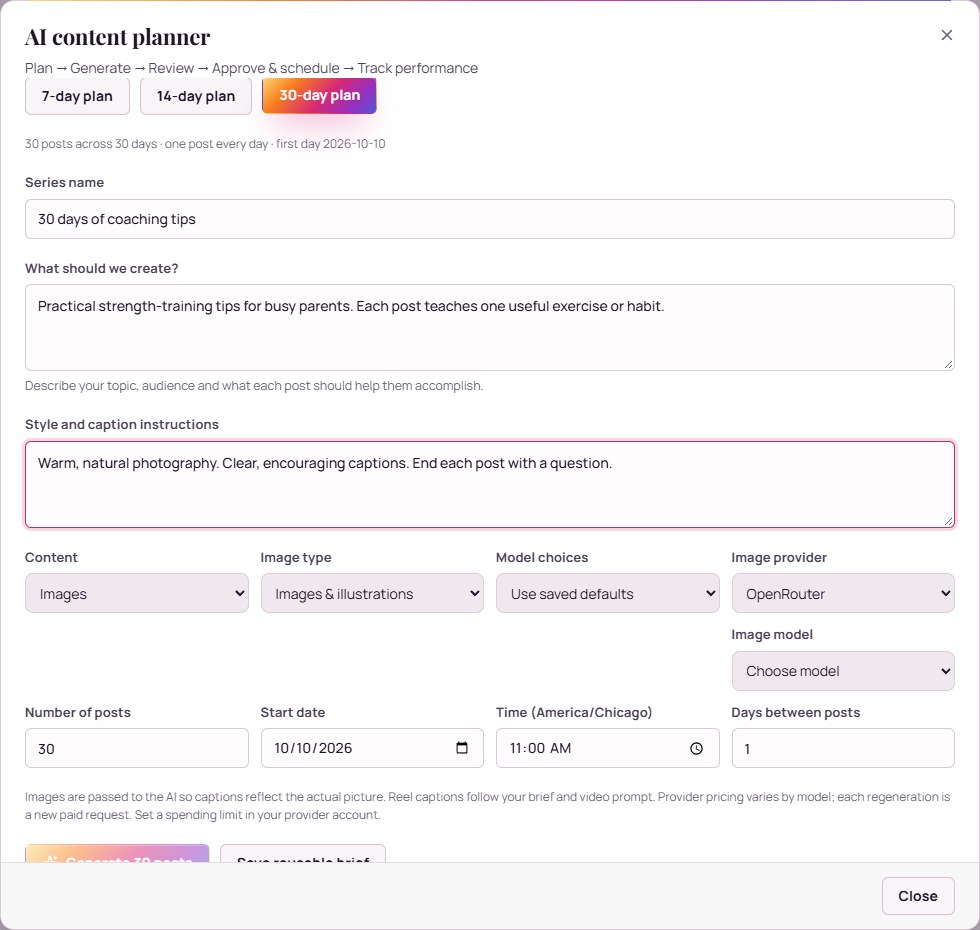
Write a brief that sounds like your business
Start with the person you want to help, the offer you sell, the questions customers ask and the tone you want to use. Add real examples and explanations from your own work. These details make a content brief more useful than a broad instruction to create engaging posts.
For example, a service business could ask for a week of posts explaining how to prepare for an appointment, what to expect during it and how to choose the right service. Use claims and examples that you can support.
Plan, review, then schedule
- Set the brief and schedule. Choose the topic, audience and publishing rhythm.
- Select your providers. Connect OpenRouter for planning and captions and choose supported media models through OpenRouter or fal.ai.
- Generate and review drafts. Check facts, examples, voice, captions and visual details.
- Edit and approve. Adjust the draft until it accurately represents your business.
- Check the scheduled work. Keep the required browser connection available for browser-based actions.
Use three complementary content themes
Teach: explain one useful idea your audience can apply. Demonstrate: show your process or a real example with permission. Invite: explain who your offer helps and how to take the next step.
Track the questions each theme produces. Use those questions in your next brief, so planning reflects what prospective customers want to understand.
Budget for generation and review
Your GramFather account and your AI provider usage are separate. Generation and regeneration can incur charges from the provider you connect. Choose models and review output with those costs in mind.
AI drafts benefit from your expertise: verify details, use images you have the rights to publish and make sure the finished post matches the service or product you actually deliver.
Your questions, answered
Can I edit the generated content?
Yes. Review the drafts, edit what you want and approve content for scheduling.
Where do image and video generation charges come from?
Your selected connected provider bills generation and regeneration usage. GramFather supports media model choices through OpenRouter or fal.ai.
Put your next move into practice.
Create your free GramFather account and start with the workflow that matters most to your business.
Open my content workspaceNo credit card required. Email and U.S. mobile verification. AI provider usage billed separately. Browser actions require the Chrome extension and an available Instagram session. View account details.